
This chapter is for whoever is actually clicking buttons during the event — the creator, a co-host, or a trusted moderator.
Where you work
Everything happens in the host console. Open the event you were invited to and keep this tab on a second screen while you stream.
Step 1 — Check players in
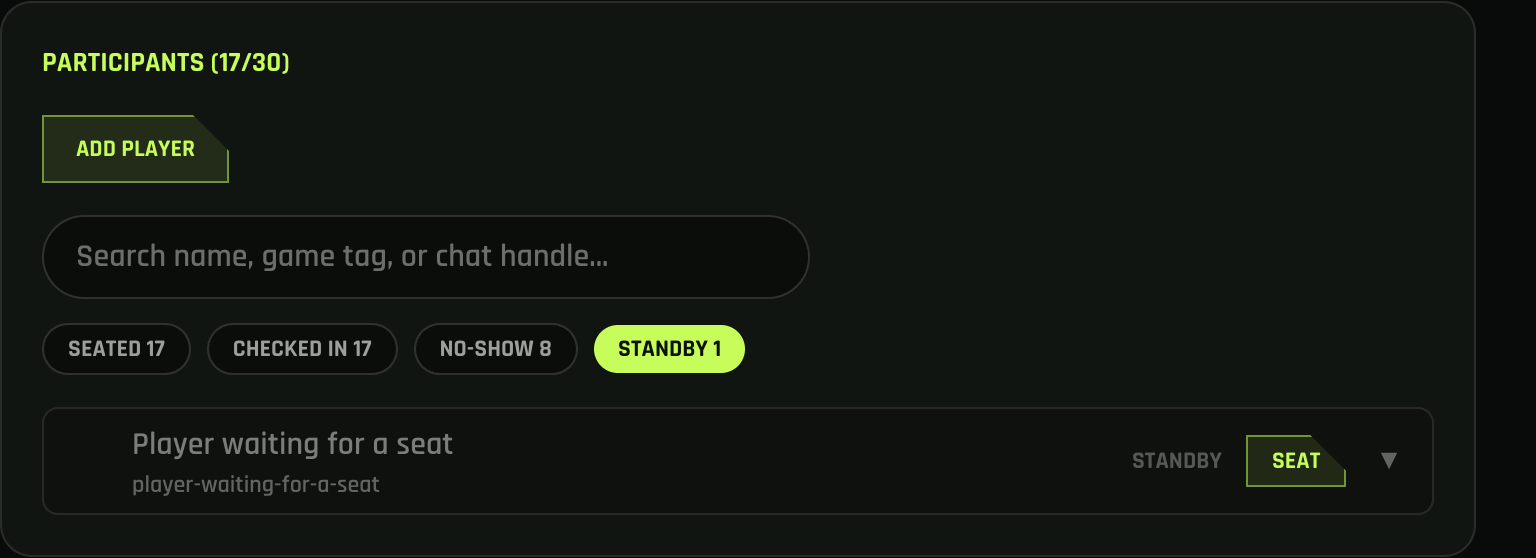
Before anything else, mark who is actually present. On a bracket event this matters: only checked-in players get drawn.
- Check in — the player is here and ready.
- Away — they stepped out but keep their seat while the timer runs.
- Mark no-show — releases the seat. It does not automatically seat a replacement.
- Seat — promotes someone from the standby list into a free seat.
If everyone is already there, use Check in all instead of clicking each row.
Step 2 — Enter results
What you see here depends on how the event was built. It is either a points table or a bracket.
If it is a points table
- 01
Open a round
Choose + Add round. A new scoring column appears for every seated player. - 02
Type each score
Click the cell for that player and round, and type their points. Each cell saves on its own. - 03
Totals update themselves
You never type a total. Vice Bounty adds the rounds and re-sorts positions after every entry. - 04
Open the next round
Repeat for as many rounds as the format needs.
If it is a bracket
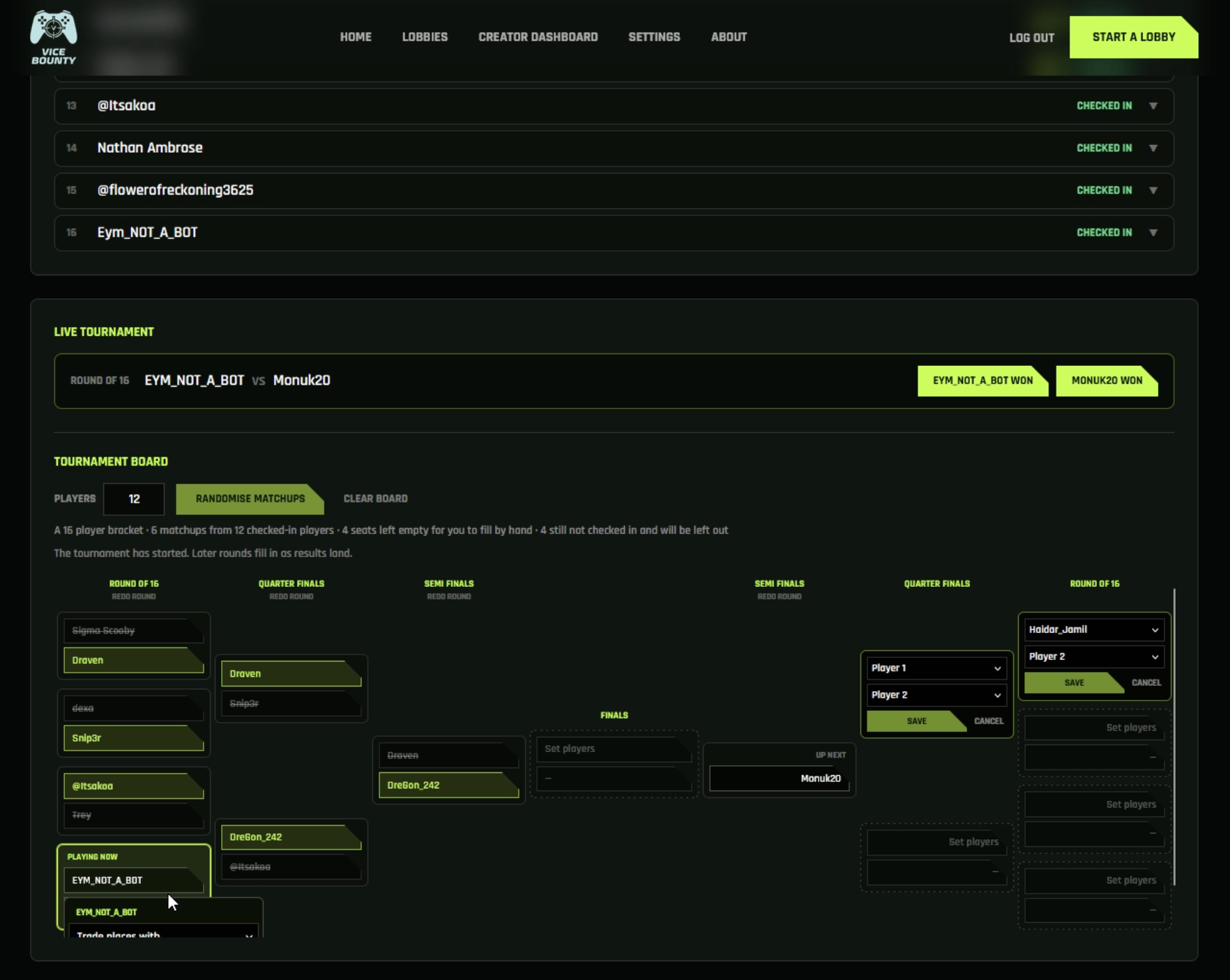
- 01
Set the bracket size and generate
Enter how many players the bracket holds, then choose Generate first round. Only checked-in players are paired. - 02
Start the match
When a pair is ready, choose Start match. It is now marked live. - 03
Record the winner
Choose the player who won. They advance to the next round automatically — you do not rebuild the bracket. - 04
Repeat to the final
You can also add a third-place match between the two semi-final losers.
Step 3 — Check what viewers are seeing
You never publish results manually. The public standings page reads the same data you just entered and refreshes itself.
| Surface | Who it is for | Refreshes |
|---|---|---|
| Host console | You and your moderators | ~8 seconds |
| Public standings | Viewers in chat | ~15 seconds |
So a score you type is visible to viewers within about fifteen seconds. If someone in chat says the board is wrong, ask them to wait one refresh before you go correcting anything.
What moderators cannot do
Event access is deliberately narrow. A host or moderator invited to one event cannot edit the lobby or its rules, cannot manage who else has access, and cannot run refunds or payouts. Those stay with the account owner.